Support

If for any reason you are experiencing a problem that is not covered here then please contact us via our contact page on this website.
General Data Protection Regulation (EU / UK GDPR) & US State Regulations
If any of our apps are installed within an EEA country or the UK you will be asked to configure your advertising preferences when the app is launched for the first time. You can change your choice at any time from the 'Settings' menu located within our apps. Instructions for changing your selection can be found below.
You will be able to choose between 'Personalised Adverts' and 'Non Personalised Adverts'.
The 'Personalised Adverts' option will display adverts more relevant to you by allowing our advertising partners to send you targeted adverts. In this case our advertising partners may collect and process personal data such as device identifiers, location data and other demographic and interest data about you.
The 'Non Personalised Adverts' option will still display adverts, but they may be less relevant to you. However our advertising partners will not collect and / or process your personal data.
1. How do I change my advert preferences in the USA?
2. How do I change my advert preferences in an EEA country or the UK?
If you are not from an EEA country or the UK then you can use your device settings to opt out of personalized advertising.
For more information please read section 17 of our privacy policy.
iWare Designs Account for online gaming
3. How do I delete my iWare Designs Account?
How do I change my advert preferences in the USA?
This applies to all iWare Designs games if you are a USA resident in which adverts are shown.
Step 1: From the main game screen, tap on the 'Settings' icon.
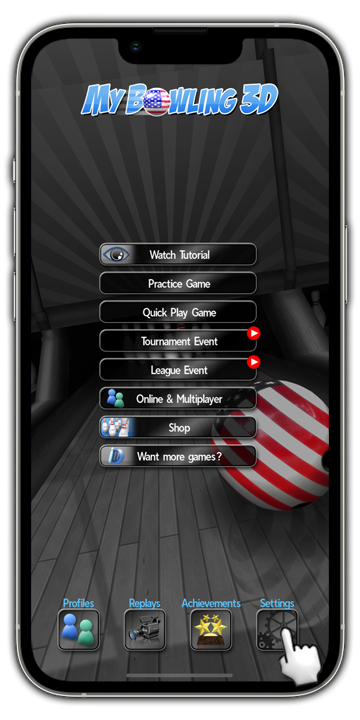
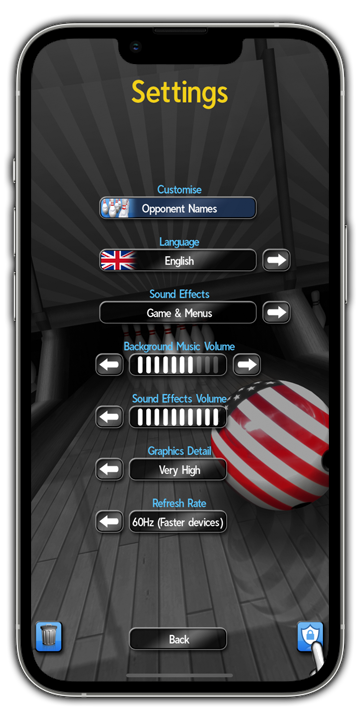
Step 2: Locate and tap on the 'Shield' icon.
Step 3: Select 'Personalise your experience' from the popup menu.
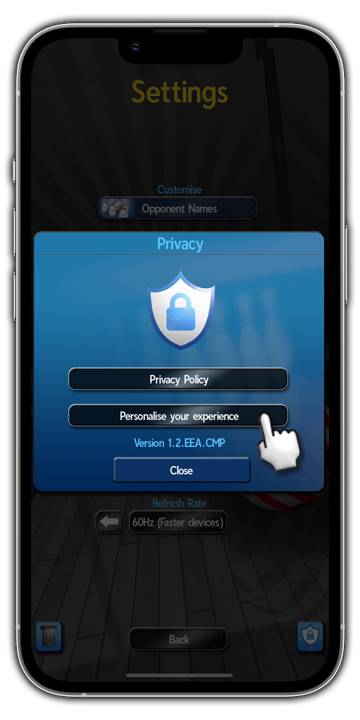
Step 4: Select the required option from the popup screen.
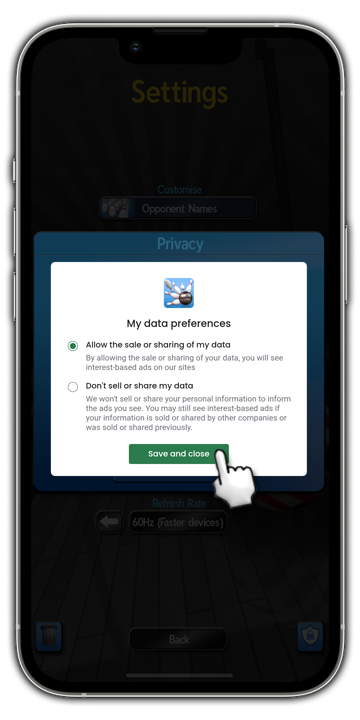
How do I change my advert preferences in an EEA country or the UK?
This applies to all iWare Designs games if you are an EEA or UK resident in which adverts are shown.
Step 1: From the main game screen, tap on the 'Settings' icon.
Step 2: Locate and tap on the 'Shield' icon.
Step 3: Select 'Personalise your experience' from the popup menu.
Step 4: Select the required option from the popup screen.

How do I delete my iWare Designs Account?
Your online profile is stored on your device using your Gamer Tag.
If you delete your iWare Designs Account then your Gamer Tag can be chosen by another player.
There is no way to reclaim your Gamer Tag if it is chosen by another player. There is no way to retrieve your Player Profile after deleting your account.
To delete your iWare Designs Account, please follow these steps:
Step 1: Tap on 'Online & Multiplayer' from the main menu.
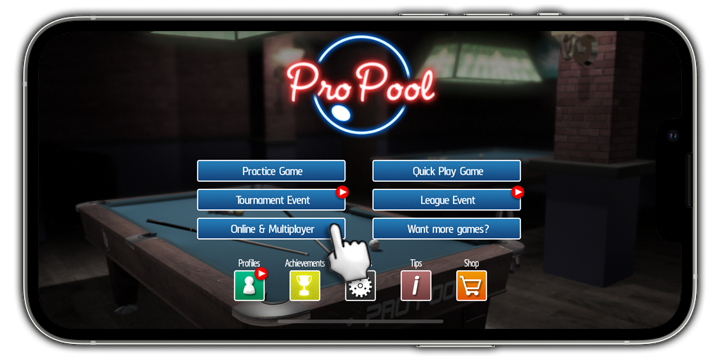
Step 2: Tap on 'Online Game'.

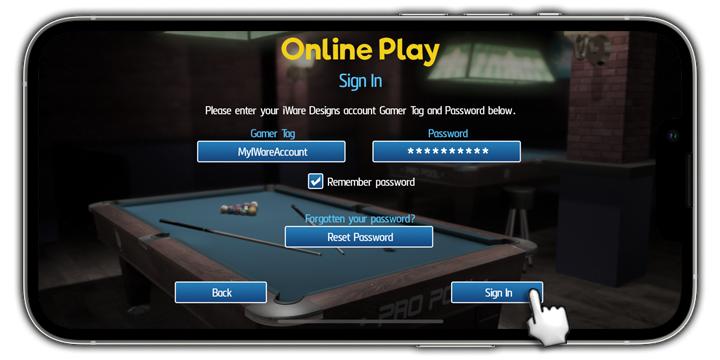
Step 3: Tap on 'Sign In'.

Step 4: Input your Gamer Tag and Password, then tap 'Sign In'.
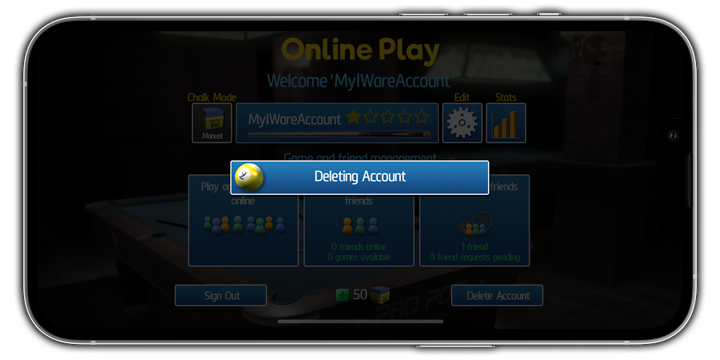
Step 5: Tap on 'Delete Account'.
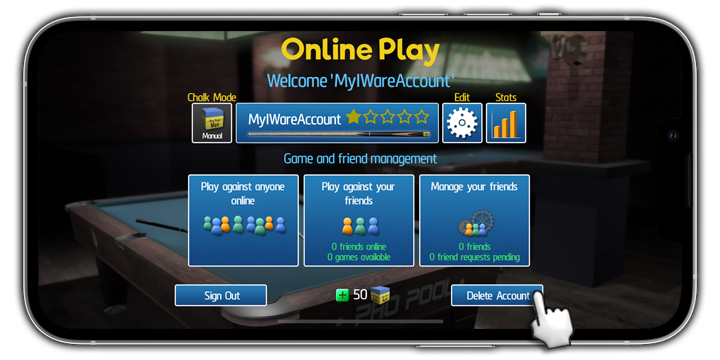
Step 6: To confirm the delete, tap on 'Yes, Delete Account'.
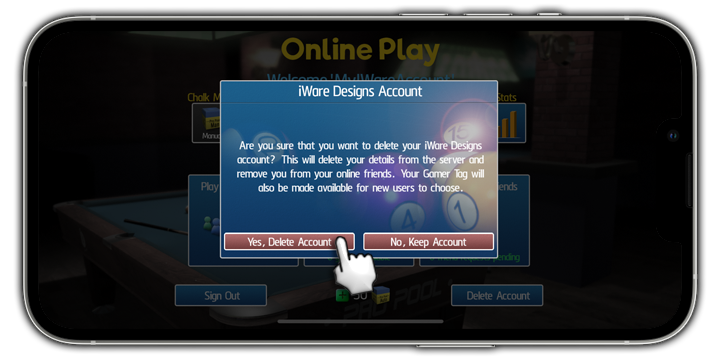
Step 7: Your Account is deleted.